
How to Register as a Specialist on Momly
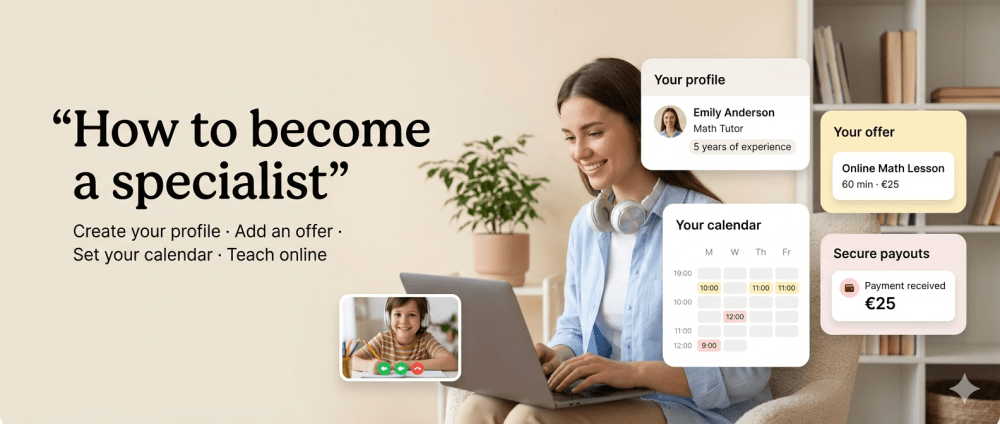
Momly is a platform where parents can find specialists for online lessons, homework support, and additional educational help for children.
If you are a tutor, teacher, student, or upper secondary school student and would like to help younger children with their studies, you can create a specialist profile and start receiving bookings through the platform.
1. Create a Specialist Profile
First, register on Momly and create your specialist profile.
In your profile, you will need to provide basic information:
— first and last name;
— profile photo;
— type of service;
— subjects or areas you work with;
— languages in which you can conduct lessons;
— a short description of yourself and your experience.
Try to fill in your profile clearly and in detail. It is important for parents to quickly understand how you can help their child and why they should choose you.
2. Go to Your Profile
After registration, you will be taken to your personal specialist profile.
In the “Dashboard” section, you will see the fields that need to be completed before you can start working. Fields that require your attention will be highlighted in yellow.
This will help you quickly understand what still needs to be added before your profile is ready for bookings.
3. Create Your Offer
The next step is to create an offer — a specific service that parents will be able to book.
For example:
Estonian language lesson
45 minutes
25 euros
You can create one or several offers, such as homework support, preparation for a test, conversation practice, a mathematics lesson, or another subject.
In your offer, it is important to specify:
— lesson title;
— description;
— duration;
— price;
— lesson format.
Lessons on Momly are held online.
4. Add Your Availability to the Calendar
After creating your offer, mark the times in the calendar when you are available to conduct lessons.
Parents will be able to see your available time slots and book a suitable time.
The clearer and more regular your schedule is, the easier it will be for parents to choose a convenient lesson time.
5. Create a Stripe Profile to Receive Payments
To accept payments from parents, you will need to create a Stripe profile.
Stripe is our payment system partner. With Stripe, we can organize transparent and secure payments between parents and specialists.
How it works:
— a parent books a lesson and pays through the platform;
— the payment is processed through Stripe;
— after the lesson has taken place, the funds are transferred to the specialist’s Stripe profile.
To work with Stripe, a specialist will need an entrepreneur account, FIE, or OÜ.
Information about the LHV entrepreneur account is available here:
https://www.lhv.ee/en/entrepreneur-account
According to LHV, an entrepreneur account can be opened without an age restriction. This is especially important for students and upper secondary school students who would like to start earning money and help younger children with their studies.
6. Receive a Booking Notification
When a parent books your lesson, you will receive a notification by email.
The upcoming lesson will also appear in your personal account in the “Bookings” section, under “Upcoming Sessions”.
There you will be able to see the lesson details: date, time, service, and other booking information.
7. Join the Online Lesson
At the scheduled time, you will be able to join the lesson directly from the “Upcoming Sessions” section.
Please check your internet connection, camera, and microphone in advance, and prepare the lesson materials so that the session goes smoothly and comfortably for the child.
8. Receiving Funds
Specialists can withdraw earned funds from their personal Stripe account.
At the initial stage, Momly does not charge specialists any platform commission. However, please note that Stripe charges a fee: for standard cards from the European Economic Area, the fee is 1.5% + 0.25 euros per successful transaction.
This means that the final amount you receive after the lesson payment may be slightly different from the price listed in your offer.
Can Students or Upper Secondary School Students Register?
Yes, we especially welcome motivated students and upper secondary school students who have strong knowledge of school subjects and want to help younger children.
If you have enough knowledge, patience, and the ability to explain material in simple language, you can create a specialist profile, conduct online lessons, and gain your first work experience.
It is a good way to earn extra money, develop communication skills, and do something useful for families who need additional educational support.
Start Simple
Create your profile, add one clear offer, mark your available time in the calendar, and set up Stripe.
After that, parents will be able to book your lessons, and you will be able to conduct online sessions through Momly.